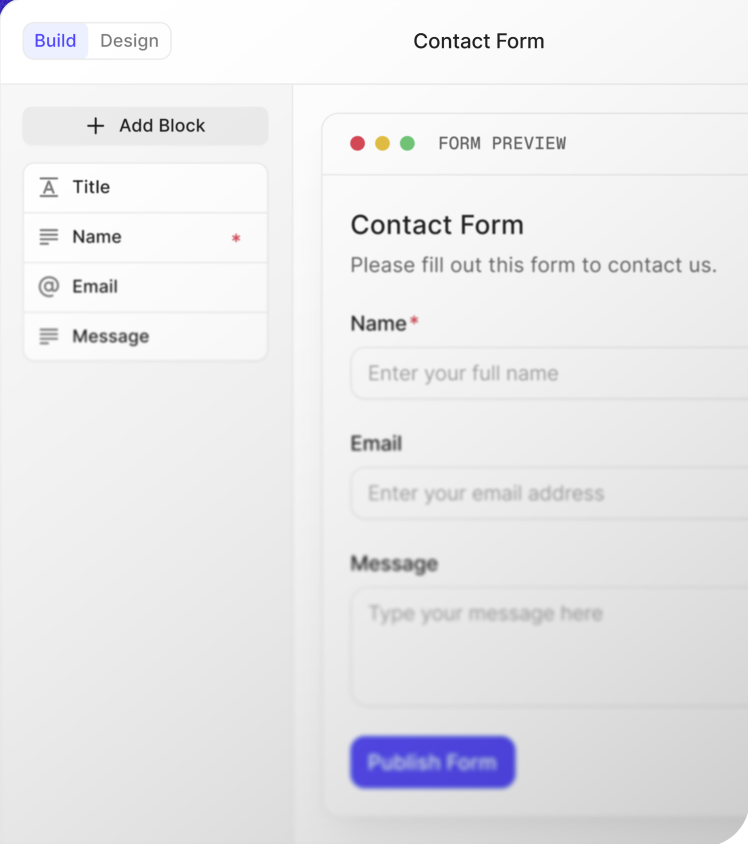
The best free form builder for most teams in 2026 is SharaForms, because its free plan combines no response cap with calculations, conditional logic, signatures, payments and three switchable presentation modes. Tally is the closest free alternative. Fillout wins for Airtable and Notion workflows, Jotform wins on breadth, and Google Forms remains the simplest unlimited option if you need nothing beyond plain questions.
Eight tools are ranked below on five criteria that decide real cost: free response allowance, calculations, conditional logic, payments and presentation choice. Every limit was read from the vendor's own pricing or help page in November 2026, and each entry links to that page so you can re-check it.
How the scoring works
Five criteria, two points each, ten points maximum. A tool only scores on what its permanent free tier includes; trial periods and paid tiers are ignored.
- 1. Free response allowance: 2 points for no cap (fair use included), 1 point for 1,000 responses a month or more, 0 below that.
- 2. Calculations: 2 points when computed fields are included free, 0 when they are paid or missing.
- 3. Conditional logic: 2 points for question level logic, 1 for section jumps only or forward-only branching, 0 for none.
- 4. Payments: 2 points when payment collection is included free, 1 when payment submissions are capped, 0 when unsupported.
- 5. Presentation choice: 2 points for several switchable modes including one question at a time, 1 for one alternative layout such as cards or a fixed one-at-a-time flow, 0 for a single scrolling layout.
Ties would be broken by the higher free response allowance. None occurred.
The ranking at a glance
| Builder | Free responses | Calculations | Logic | Payments | Presentation | Score |
|---|---|---|---|---|---|---|
| 1. SharaForms | Unlimited | Yes | Yes | Yes | 3 modes | 10/10 |
| 2. Tally | Unlimited (fair use) | Yes | Yes | Yes | One layout | 8/10 |
| 3. Fillout | 1,000/mo | Yes | Yes | Yes | One layout | 7/10 |
| 4. Jotform | 100/mo | Yes | Yes | Limited (10/mo) | Cards | 6/10 |
| 5. Typeform | 10/mo | Yes | Yes | No | One-at-a-time | 5/10 |
| 6. Paperform | 30/mo | Paid | Yes | Yes | One layout | 4/10 |
| 7. Google Forms | No published cap | No | Section jumps | No | One layout | 3/10 |
| 8. Microsoft Forms | 200/form | No | Forward only | No | One layout | 1/10 |
The eight free form builders, ranked
2. Tally
8/10Tally is the strongest free rival: unlimited forms and submissions within its fair use policy, plus logic, calculations, Stripe payments, signatures and file uploads at no cost. The editor is document style, so you type questions the way you write notes, which many people prefer to drag and drop. What it does not offer is a presentation layer. Forms stay in a single scrolling layout, and one question at a time means inserting a page break after every question by hand. Free forms keep a Tally badge. Choose Tally when the free feature set matters more than layout.
Best for: teams who like a document-style editor and do not need alternative layouts.
3. Fillout
7/10Fillout gives the free plan unlimited forms and unlimited seats plus 1,000 responses a month, with conditional logic, calculations, scoring, payments, PDF generation and webhooks included. It is the best pick for teams already working in Airtable or Notion, because its integrations update existing records rather than only appending rows. Signatures start on the paid Starter tier, branding comes off at Pro, and 1,000 responses a month is the ceiling to plan around. That is generous for internal workflows and tight for a public campaign.
Best for: Airtable and Notion teams whose volume stays under 1,000 responses a month.
4. Jotform
6/10Jotform is the widest platform on this list: forms sit alongside e-signature, approval workflows, tables, PDF editing and thousands of templates. The free Starter plan is narrow, though. Five active forms, 100 submissions a month, 100 MB of upload space, 10 payment submissions and 10 signed documents. Calculations and conditional logic are included, and the card layout gives a one-question-at-a-time feel. Pick Jotform when you need its ecosystem at any budget and your volume really is small, and watch those counters before you commit a campaign to it.
Best for: small-volume workflows that also need signatures, approvals or Jotform templates.
5. Typeform
5/10Typeform defined the one-question-at-a-time look, and the free plan keeps that experience with unlimited forms, logic, scoring and calculations. The catch is volume: 10 responses a month across the whole account, pooled across every form, and forms go private once the allowance runs out. Payments, file uploads and branding removal sit on paid tiers, and you can trial paid features without being able to publish a form that uses them. Polish is the point here. The free tier is a sample rather than a working plan, so budget for Basic.
Best for: brand-led funnels where the experience justifies paying for volume.
6. Paperform
4/10Paperform treats the form like a page you design, and its free plan keeps unlimited forms, unlimited users and payment collection through Stripe, PayPal, Square and Braintree. Conditional logic is included too. The limits arrive quickly: 30 submissions a month, three signed documents, and calculations reserved for paid plans, with Paperform branding on everything you publish. New accounts also start with a short Pro trial. It suits a designed landing page with a low response count, or a paid trial of the editor before you commit elsewhere.
Best for: design-led single pages with very low response volume.
7. Google Forms
3/10Google Forms is free with any Google account and publishes no response cap, which is why it stays the default for internal surveys, RSVPs and quizzes. Branching only jumps between sections and only works on multiple choice and dropdown questions. There is no calculation engine, no payment collection and no signature field. File uploads work, but respondents have to sign in to a Google account, and styling stops at theme colours. It is the right answer for quick internal collection inside Google Workspace and the wrong answer for anything customer-facing or calculated.
Best for: internal surveys inside a Google Workspace account.
SharaForms vs Google Forms Check Google Forms's current limits
8. Microsoft Forms
1/10Microsoft Forms is free with a personal Microsoft account and included with Microsoft 365 at work or school. A free personal account caps each form at 200 responses, allows 400 forms and 200 questions, and branching only moves forward. Payments, calculations and signatures are not part of the product. The strong case is where the answers belong in Excel and everyone already has a Microsoft login: results open in a live workbook, and the quizzes work well for classrooms. For customer-facing forms the response cap and design controls stop you early.
Best for: classroom quizzes and internal surveys inside Microsoft 365.
Frequently asked questions
- What is the best free form builder in 2026?
- For most teams it is SharaForms or Tally. Both collect unlimited responses on the free plan and both include logic, calculations and payments. SharaForms adds three switchable presentation modes and signature capture. Tally adds a document-style editor and a long list of native integrations on the free tier.
- Which free form builders have no response limit?
- SharaForms, Tally and Google Forms. SharaForms and Tally describe theirs as unlimited within a fair use policy, and Google publishes no response cap at all. The rest meter responses: Fillout at 1,000 a month, Jotform at 100, Paperform at 30 and Typeform at 10, while Microsoft Forms caps each form at 200 responses rather than per month.
- Are these free plans permanent, or trials?
- All eight offer a permanent free tier rather than a trial. Paid tiers add branding removal, higher response counts, team roles or custom domains. Paperform additionally starts new accounts on a short Pro trial, and Typeform lets you test paid features without being able to publish a form that uses them.
- Do these free form builders include calculations?
- SharaForms, Tally, Fillout, Jotform and Typeform include calculated fields on the free plan. Google Forms and Microsoft Forms have no calculation engine, and Paperform reserves calculations for paid plans. If your form quotes a price, scores a quiz or totals an order, that row decides your shortlist.
- When is paying for a form builder worth it?
- Pay when you need branding removed, more responses than the free tier allows, several team members, a custom domain or form analytics. On this list that usually means the entry paid tier, billed monthly. Run the numbers first: upgrading for a thousand responses can cost more than the responses are worth.
- How were these free plan limits checked?
- Every limit was read from the vendor's own pricing or help page in November 2026, and each entry links to the page it came from. Vendors change limits without notice, so confirm the number on their pricing page before you commit a campaign to a tool.
Try the top-ranked plan yourself
Unlimited forms, unlimited responses, calculations and logic included on the free plan.